Understand before you act.
Read the explanation. See the trade-off. WhySlow asks before every fix, including quitting an app.
 WhySlow
A busy app. A hundred browser tabs. Something called kernel_task.
Get an actual answer. Then a way forward.
Free to understand. $10 to fix.
Understand what’s happening on your Mac.
Choose a situation. See the cause. Preview a fix.
Activity Monitor tells you what’s running. WhySlow helps you understand what it means and what to do next.
kernel_taskA big number. A mysterious name.
Should you be worried?
This is part of macOS. When your Mac gets hot, it limits how much processing power other apps can use. Quitting it won’t help.
Here’s what you can doFrom background helpers to a sluggish connection, see the pieces that Activity Monitor leaves you to figure out.
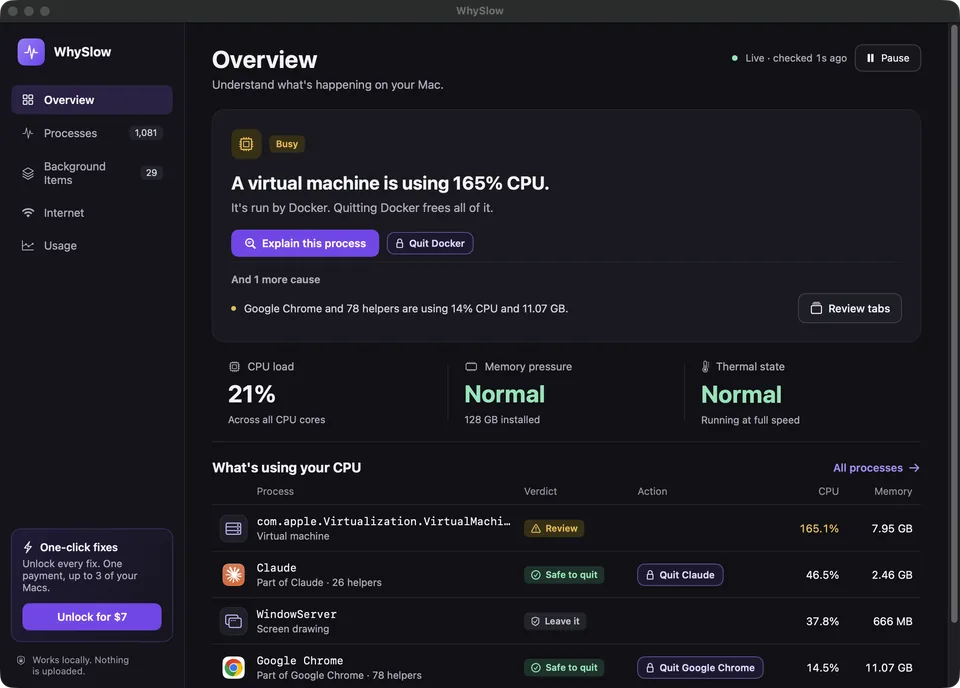
The most likely cause, the signals behind it, and a useful next step.
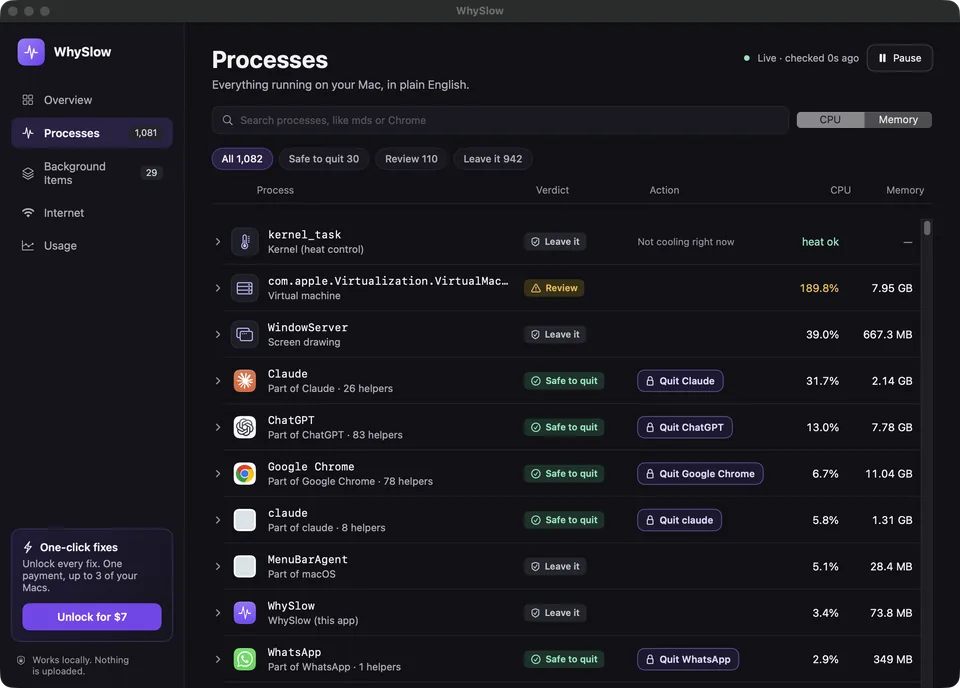
Apps and helpers grouped together, with clear Safe to quit, Review and Leave it verdicts.
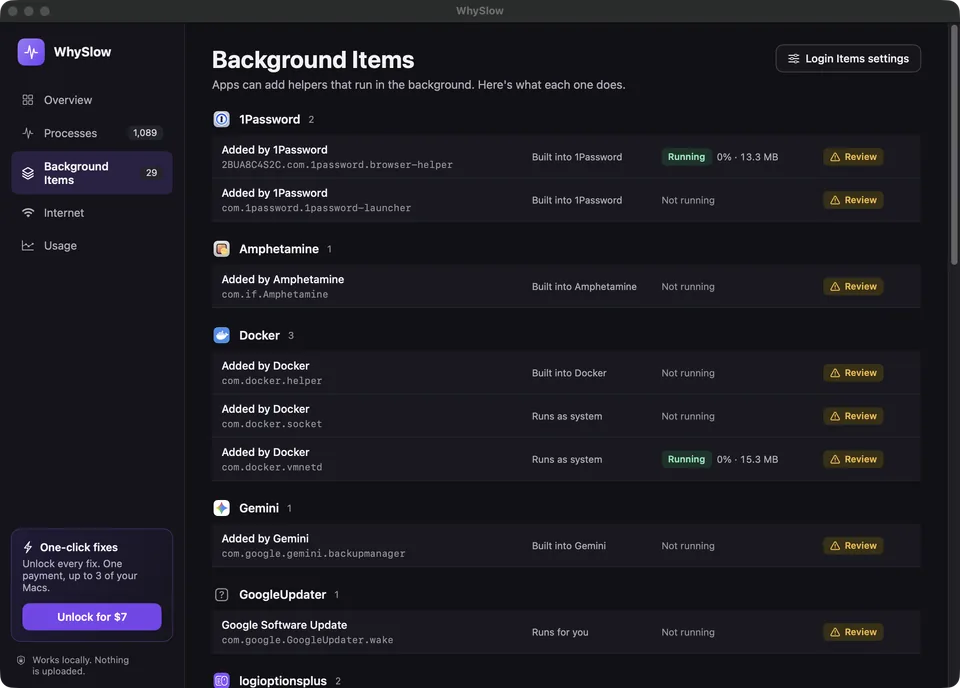
Find which app a helper belongs to and whether it is running.
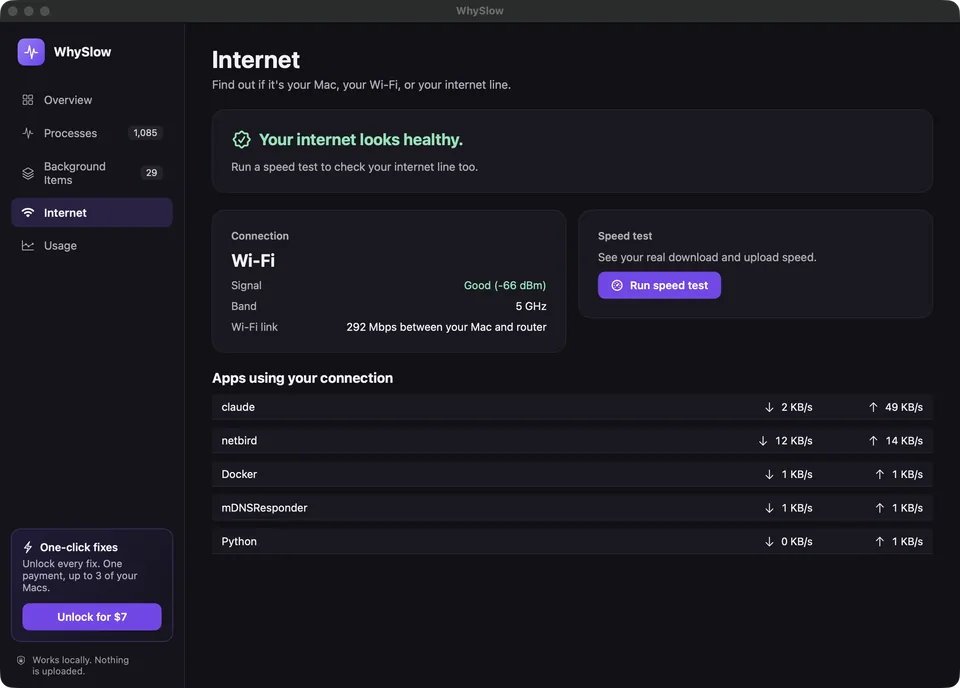
See Wi-Fi signal, bandwidth-hungry apps and an on-demand speed test.
CPU and memory history help you understand what actually holds your Mac back.
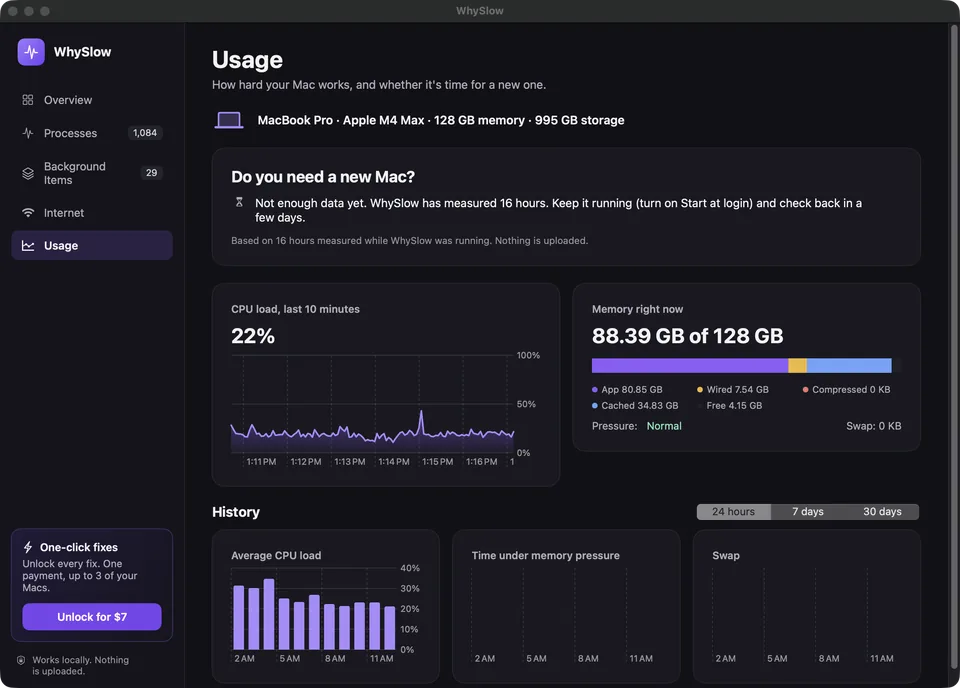
Take a quick look through WhySlow’s diagnosis, process explanations, background items, internet checks and usage history.
Or take the interactive demo for a spin ↗Product walkthrough · 20 seconds · No audio
Understanding your Mac should feel reassuring.
So every action starts with you.
Read the explanation. See the trade-off. WhySlow asks before every fix, including quitting an app.
WhySlow explains macOS processes without quitting them. It never deletes your files.
Process data, tab details and usage history stay local. No account is needed to start.
The full privacy story ↗Try it on your own Mac first.
Upgrade only when a one-click fix is useful.
$0 free, always
Answers shouldn’t be behind a paywall.
No card. No account. Just answers.
$10 once, or per year
Everything free, plus one-click fixes.
Once: fixes in versions released in the next 12 months. Yearly: fixes in every new version. 30-day refunds.
Already have a license? Recover your key
Something else on your mind?
Say hello ↗
All diagnosis and explanations are free, including processes, background items, internet checks, and usage history. A $10 license unlocks one-click fixes, once or yearly.
The website preview uses example data only. Download the native Mac app to see what is happening on your own Mac.
WhySlow helps you find the cause of a slowdown and choose a useful next step. Results depend on the cause. Sometimes the best answer is to leave macOS alone while it finishes its work.
System processes such as kernel_task and WindowServer are protected. WhySlow asks before every action. Save your work before quitting an app.
WhySlow requires macOS 15 or later and supports both Apple silicon and Intel Macs.
Your license key appears after checkout and is also sent by email when email delivery is available. Open the activation link or paste your key in WhySlow. One license works on up to three of your Macs.

Find out why your Mac is slow. Start for free.
Get WhySlow for MacmacOS 15+ · Apple silicon & Intel